technifyed

Columbia University via Coursera

Construction Scheduling

4.82,346 ratings at Coursera

Overview

This course focuses on learning how to develop and manage a schedule. The first module provides an overview of the Construction Scheduling course. The second module introduces bar or Gantt charts and how they are used as scheduling tools. During the third module, learners will create activity precedence diagrams, also referred to as activity on node diagrams, which graphically represent the construction activities in a project and their relationships. The fourth module provides an overview of the types of construction activity relationships encountered in a construction project and how to represent them in an activity precedence diagram. Forward and backward pass calculations are covered in the fifth module, and during the sixth module, Professor Odeh discusses the importance of critical paths, including what it is and why it is important.

By the end of this course, you will be able to:

-Discover key project scheduling techniques and procedures

-Learn how to develop and manage a schedule, and understand scheduling tools such as bar charts, activity on arrow, and activity on nodes

-Explore the multiple relationships that connect all the construction activities in our project from start to finish

-Learn about creating a network diagram, defining the importance of the critical path in a project network, and defining project activities float

-Understand the fundamentals of bar charts, precedence diagrams, activity on arrow, Program

-Evaluation and Review Technique (PERT), range estimating, linear project operations, and the line of balance (LOB)

Syllabus 16

  1. Introduction to Construction Scheduling 1 hour

    The first module provides an overview of the Construction Scheduling course and the topics that will be covered. Learners will discover the relationships connecting construction activities, how to perform scheduling procedures, how to determine critical path and more. Professor Odeh will describe t…

  2. Bar (Gantt) Charts 1 hour

    The second module introduces bar or Gantt charts and how they are used as scheduling tools. Bar charts represent a project work item or activity as a time scaled bar; the length of which represents the planned duration of a construction activity.

  3. Activity Precedence Diagrams 55 minutes

    In this module, learners will create Activity Precedence Diagrams, also referred to as Activity on Node Diagrams, which graphically represent the construction activities in a project and their relationships.

  4. Types of Construction Activity Relationships 1.5 hours

    This module provides an overview of the types of construction activity relationships encountered in a construction project and how to represent them in an activity precedence diagram.

  5. Forward and Backward Pass Calculations 2 hours

    Forward and Backward Pass Calculations are covered in this module. Forward Pass Calculations determine the minimum dates at which each construction activity can be performed and, ultimately, the minimum duration of a construction project. Backward Pass Calculations compute the latest dates by which…

  6. Critical Path 1.5 hours

    Professor Odeh discusses the importance of critical path in this module including what it is and why it is important. Learners will identify a critical path in a project and how to determine a critical path in different relationships.

  7. Activity Floats 1 hour

    Professor Odeh introduces the types of floats in a construction project including; total float, free float, interfering float and independent float.

  8. Understanding Work Dates and Calendar Dates 1 hour

    In this module, the difference between working dates and calendar dates is explained and how to chart both in a project plan.

  9. Activity on Arrow 2.5 hours

    Activity on Arrow diagrams are the topic for this module. Professor Odeh will discuss how to draw an activity on arrow diagram and how to number the nodes. Forward and Backward Pass calculations and determining the duration of a project are also covered.

  10. Program Evaluation & Review Technique (PERT) and Range Estimating 1.5 hours

    The Program Evaluation and Review Technique (PERT) is introduced in this module which relates to uncertainty in estimating the duration of construction activities in a project schedule. PERT helps project managers determine the probability of a project being completed in a certain number of days.

  11. The Role of the Scheduler in Construction Management 1 hour

    Jennifer Buermann, of the STV Group, discusses the role of the scheduler in a construction project and how to determine if a project is on track to meet the estimated goals. Also covered are ways to adjust to ensure the project stays on track.

  12. Linear Construction Operations and Line of Balance 2 hours

    Professor Odeh introduces linear construction; projects that have linear, or repetitive, properties. Also covered is the Line of Balance scheduling method which is a way of allocating resources for repetitive processes.

  13. Technology Applications for Scheduling 3.5 hours

    Dareen Salama, of the STV Group, discusses the technology applications used for scheduling. Dareen provides an overview of the applications used for scheduling development, schedule analysis, sharing and collaboration and visualization.

  14. Scheduling for Large Programs 50 minutes

    Christopher Toomey, Senior Vice President of AECOM Global Programs, discussed scheduling for large programs also known as the Integrated Master Scheduler. Mr. Toomey illustrates how to develop and maintain the Integrated Master Schedule and identifies key features.

  15. Risk Allocation and Planning 1.5 hours

    Dr. Eduardo Gamez, Deputy Director of Risk Management for AECOM, introduces Risk Allocation and Planning. Dr. Gamez discusses the importance of formal risk management and how to use risk assessment as a support tool for planning and scheduling.

  16. Lean Design in Construction Scheduling 2 hours

    Sam Spata, of MethodLean, discusses lean design and lean scheduling. The concept of Flow is introduced, the process of how to get from the beginning to the end of a project, as a measurable addition of value.

Skills you'll practise

Risk ManagementLeadership and ManagementPlanningProject Management

Advantages and disadvantages

Advantages

  • Structured courses with graded quizzes, assignments and deadlines you can reset.
  • A shareable certificate from the university or company when you pay.
  • Financial aid is often approved for students in India (apply 15 days before you need it).
  • Taught by Columbia University, one of the strongest names in its field.
  • Rated 4.8 out of 5 by 2,346 learners.
  • Self-paced: start any time.
  • A clear syllabus (16 parts) you can see before you start.
  • Hands-on: you build or practise, not just watch.

Disadvantages

  • Paid after a 7-day free trial (Coursera Plus or per course).
  • Some courses can be audited for free, but graded work and certificates need payment.

Some points apply to every course of this kind; see how we rank.

This course is paid. Here is how to take it for free

  • Free trials: You can start a 7-day free trial for many individual courses, Specializations, or a Coursera Plus subscription to test full course features. Cancel before the seventh day if you do not want to be charged.
  • Financial aid: If you cannot afford the fee for a certificate, you can apply for financial aid through the link on the course home page by filling out an application about your background and goals.

Taught by

  • Ibrahim Odeh, Ph.D., MBAInstructor, Department of Civil Engineering and Engineering Mechanics, Columbia University, Director of Research and F…

Columbia University is in Tier 1: world-leading universities and India's top institutes of our institution ranking (94/100).

Similar courses

Compare these

Massachusetts Institute of Technology · YouTube

MIT 6.01SC Introduction to EECS I

Instructor: Dennis Freeman, Kendra Pugh This course provides an integrated introduction to electrical engineering and computer science, including modern software engineering, linear systems analysis, electronic circuits, and decision-making. The lecture videos provide an overview of each topic, whi…

Free video27 videos, 17 hours

Harvard University · edX

Fundamentals of TinyML

4.567 ratings

Focusing on the basics of machine learning and embedded systems, such as smartphones, this course will introduce you to the “language” of TinyML.

Free to audit5 weeks, 2 - 4 hours per week

Harvard University · edX

CS50's Introduction to Computer Science

An introduction to the intellectual enterprises of computer science and the art of programming.

Free to audit12 weeks, 5 - 14 hours per week

Massachusetts Institute of Technology · YouTube

MIT 6.832 Underactuated Robotics, Spring 2009

Instructor: Russell Tedrake See the complete course at: http://ocw.mit.edu/6-832s09 Robots today move far too conservatively, using control systems that attempt to maintain full control authority at all times. Humans and animals move much more aggressively by routinely executing motions which invol…

Free video23 videos, 28 hours

Massachusetts Institute of Technology · YouTube

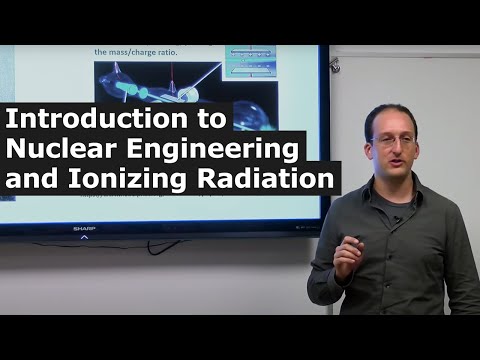
MIT 22.01 Introduction to Nuclear Engineering and Ionizing Radiation, Fall 2016

Instructor: Michael Short View the complete course: https://ocw.mit.edu/22-01F16 This course provides an introduction to nuclear science and its engineering applications. It describes basic nuclear models, radioactivity, nuclear reactions and kinematics; covers the interaction of ionizing radiation…

Free video34 videos, 32 hours

Massachusetts Institute of Technology · YouTube

MIT 18.S096 Topics in Mathematics w Applications in Finance

The purpose of the class is to expose undergraduate and graduate students to the mathematical concepts and techniques used in the financial industry. Mathematics lectures are mixed with lectures illustrating the corresponding application in the financial industry. MIT mathematicians teach the mathe…

Free video24 videos, 32 hours

Enter your email and the official page opens. Phone is optional.